ANPRWATCH / SmartCity
ANPR Module
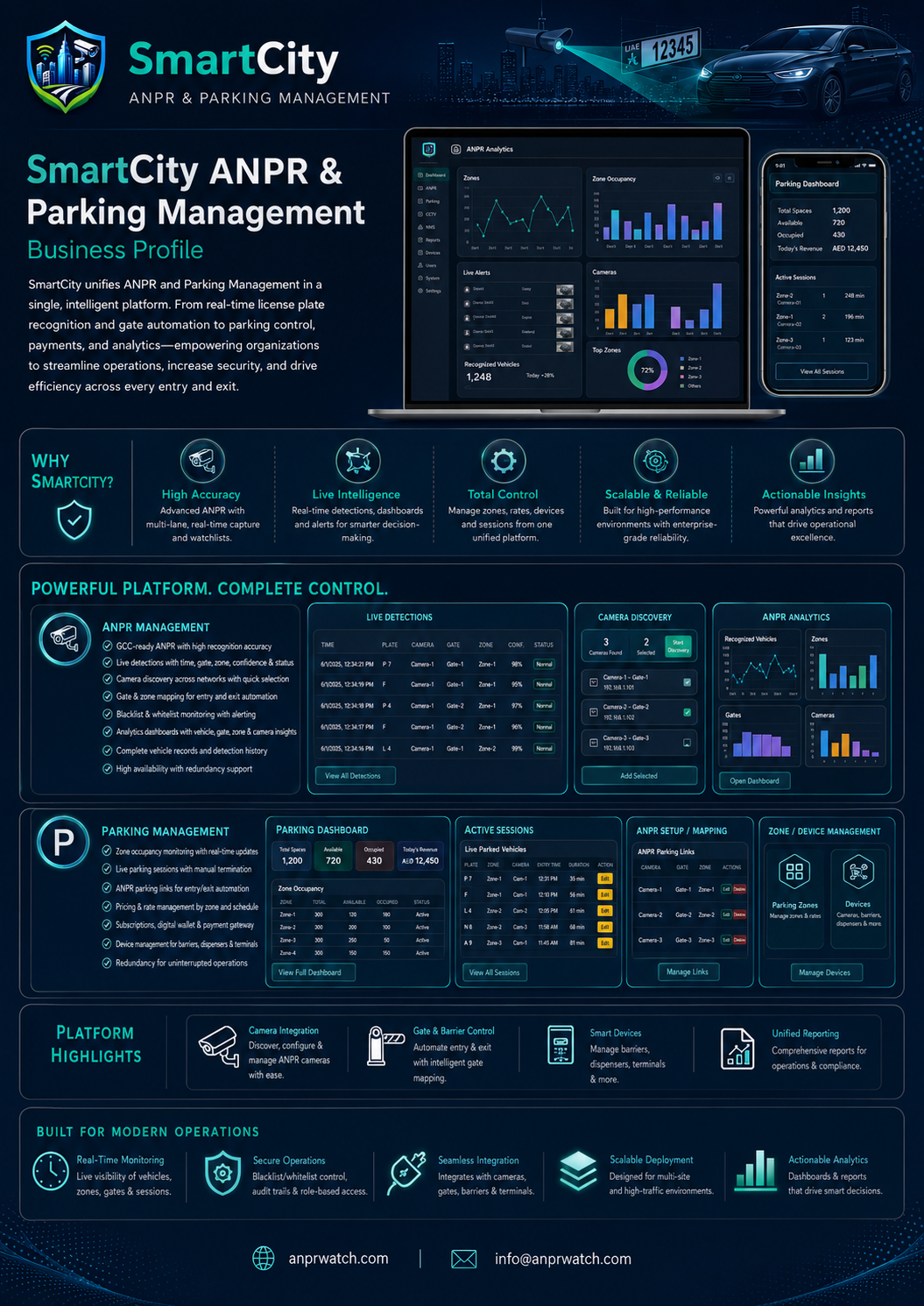
Automatic number plate recognition, detections, smart camera support, and simplified deployment workflows.
Easy deploymentRole-based accessGuided operationSupport available
ANPRCityRingCCTVParkingParking GuidanceAccess ControlTraffic ViolationsVideo AnalyticsTime & AttendanceAdmin ControlAI Guided Help
ANPRCityRingCCTVParkingParking GuidanceAccess ControlTraffic ViolationsVideo AnalyticsTime & AttendanceAdmin ControlAI Guided Help
Purpose
ANPR Module
Automatic number plate recognition, detections, smart camera support, and simplified deployment workflows.
Region
Localized for Global
Designed for municipal operations, enterprise security, parking operators, airports, campuses, and large estates.
Key Features
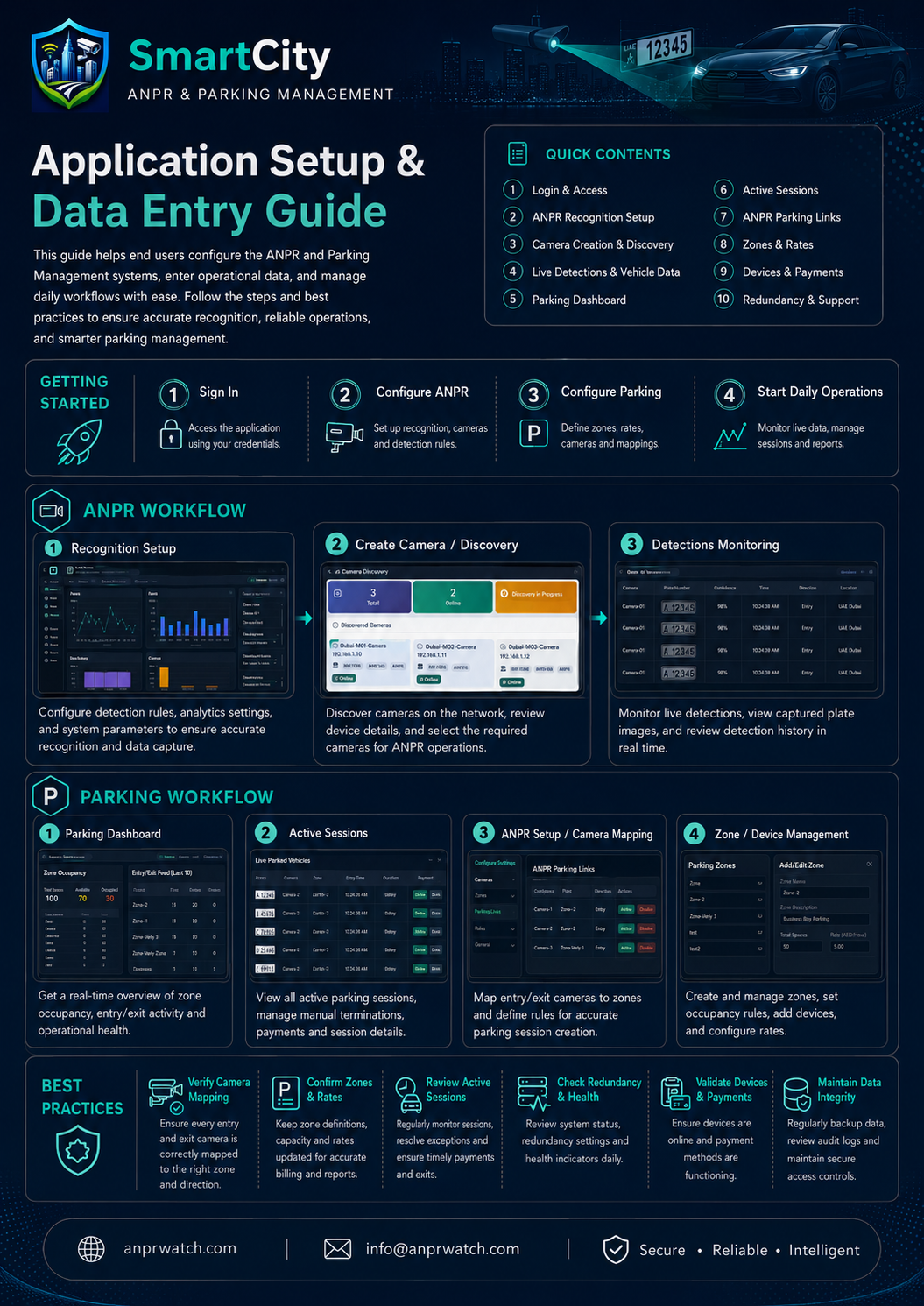
- Plate recognition workflows
- Detections, grading, and evidence handling
- Vehicle registration and watchlists
- Smart camera OCR integration
- Redundancy and failover
User Workflow
- Configure cameras and recognition profiles
- Monitor live detections and plate crops
- Review vehicle details and evidence
- Export reports or trigger alerts
Configuration Steps
- Create camera records and recognition profiles
- Set FTP, smart camera, or server-side recognition sources
- Define country, state, and plate categories
- Link redundancy and license settings
Permissions
- View ANPR dashboard
- Manage cameras and recognition setup
- Review detections and vehicle registration
- Configure system integrations
Support Notes
- Verify camera connectivity and OCR profile selection
- Check image crop and plate storage rules
- Ensure license activation is valid after installation
License / Activation
ANPR may require activation depending on deployment policy and installed modules. License activation is handled after installation from inside the dashboard.
Deployment
Easy setup with support available
This module can be deployed as part of the SmartCity guided installation flow. For camera mapping, device onboarding, parking links, rules or integration requirements, the SmartCity support team can assist remotely.
Deployment guide