ANPRWATCH / SmartCity
Parking Guidance
Parking guidance bays, floors, zones, signboards, and live occupancy.
Easy deploymentRole-based accessGuided operationSupport available
ANPRCityRingCCTVParkingParking GuidanceAccess ControlTraffic ViolationsVideo AnalyticsTime & AttendanceAdmin ControlAI Guided Help
ANPRCityRingCCTVParkingParking GuidanceAccess ControlTraffic ViolationsVideo AnalyticsTime & AttendanceAdmin ControlAI Guided Help
Purpose
Parking Guidance
Parking guidance bays, floors, zones, signboards, and live occupancy.
Region
Localized for Global
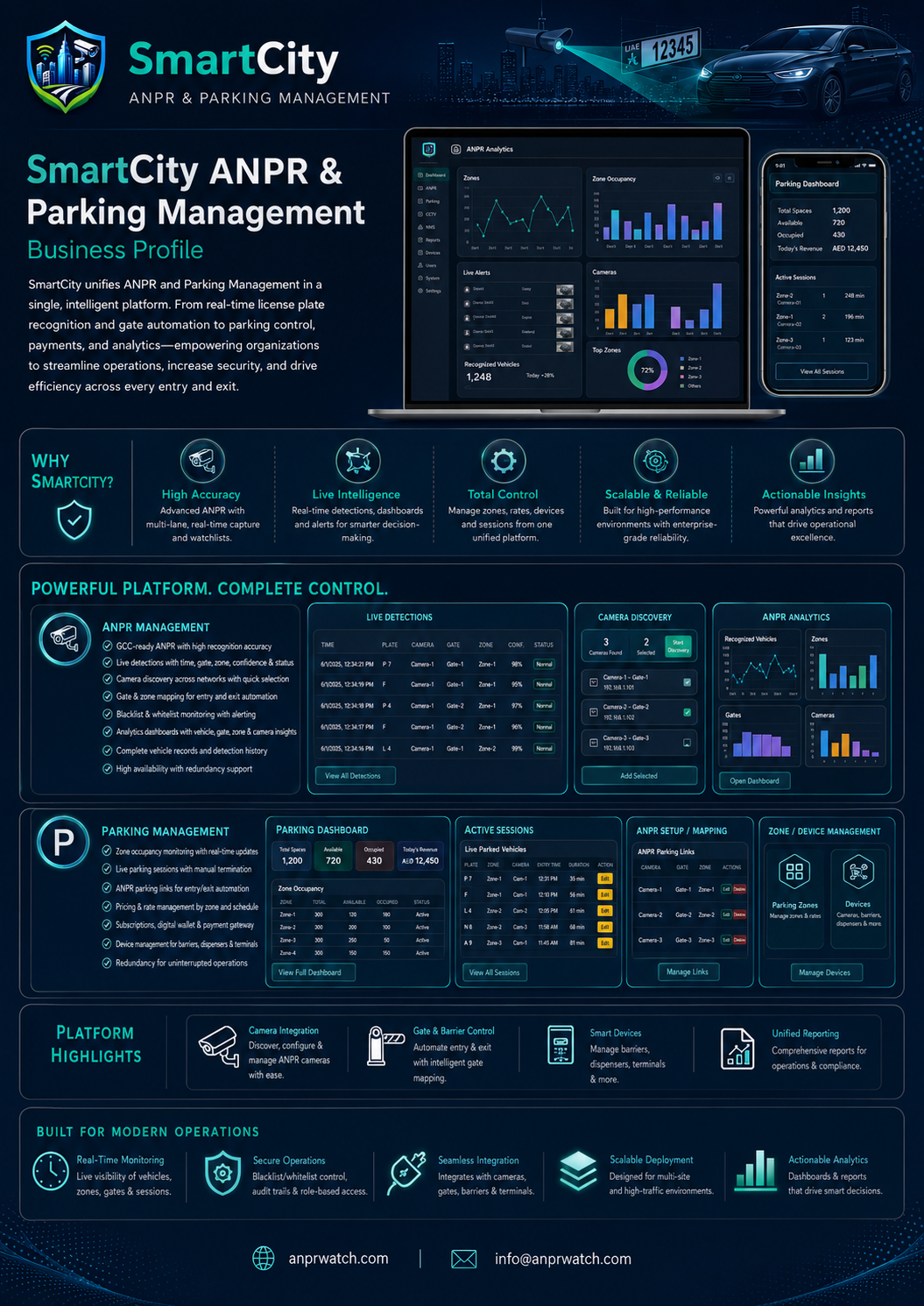
Designed for municipal operations, enterprise security, parking operators, airports, campuses, and large estates.
Key Features
- Sites, floors, zones, and bays
- Live occupancy and vehicle location
- Monitoring cameras and signboards
- Map and floor plan views
- Alerts and integration profiles
User Workflow
- Create the site and floor model
- Register bays and zones
- Connect monitoring devices and signboards
- Watch live occupancy and guidance alerts
Configuration Steps
- Define site hierarchy and bay structure
- Link cameras, rules, and signboards
- Upload maps or floor plans
- Tune occupancy thresholds and alerts
Permissions
- Manage site data
- Update bays and zones
- Operate monitoring devices
- Review live occupancy dashboards
Support Notes
- Check that the backing tables and migrations exist
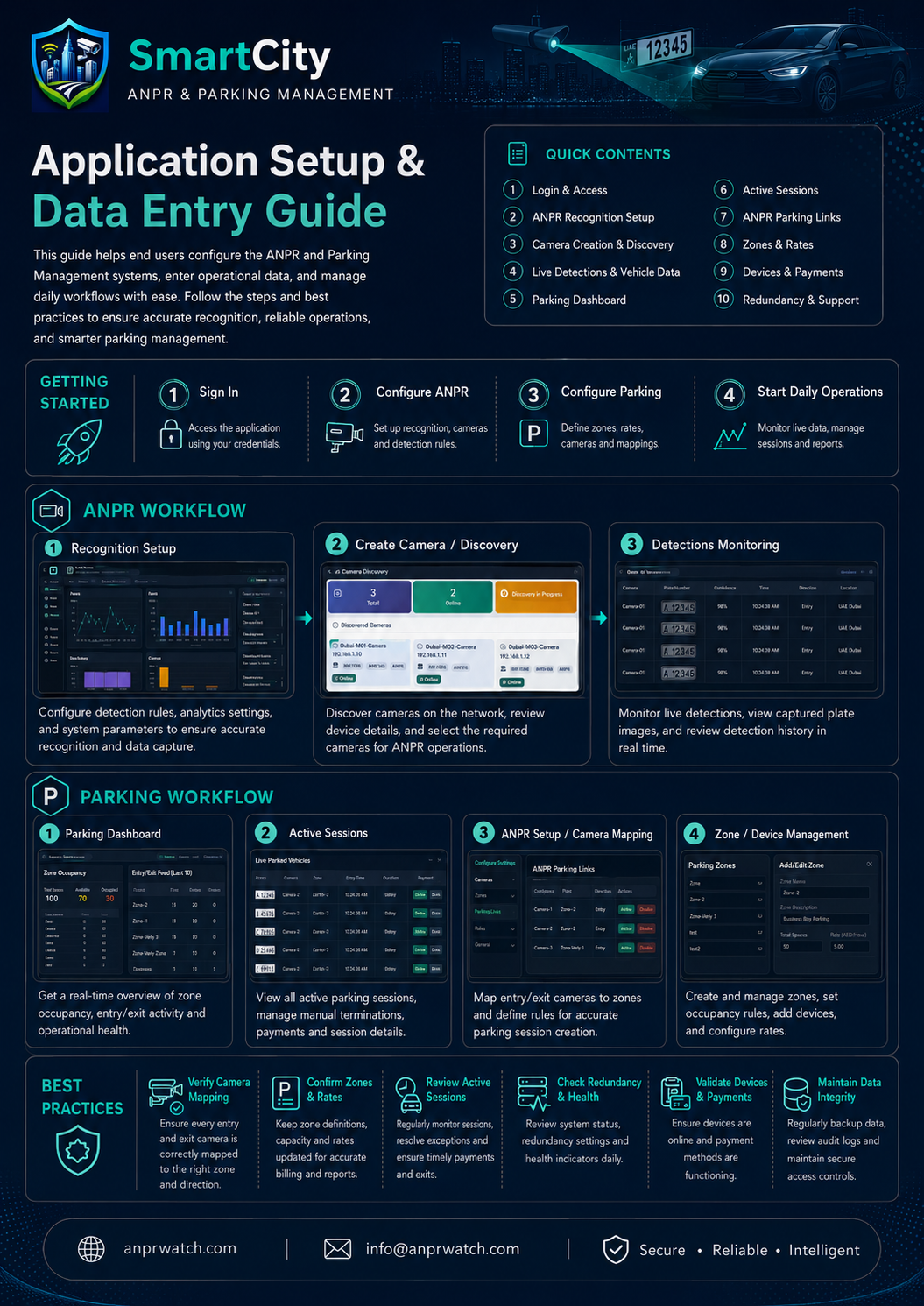
- Verify mapping between cameras, bays, and zones
- Validate device connectivity and floor-plan assets
License / Activation
Parking guidance can be deployed as part of the SmartCity product suite and activated after installation from the dashboard.
Deployment
Easy setup with support available
This module can be deployed as part of the SmartCity guided installation flow. For camera mapping, device onboarding, parking links, rules or integration requirements, the SmartCity support team can assist remotely.
Deployment guide